FYLR
Fylr
Digital Asset Management
One of the market's most advanced and flexible DAM products, and the foundation for everything we deliver. With Fylr, it's not the users who have to adapt to the system – we adapt the system to the way you work. Fylr handles the storage, registration, searching, access rights and distribution of media files – either on-premises at your premises or as a hosted solution.
Features
- Cataloguing with freely defined metadata fields
- Search across metadata, content and file types
- Rights management at user, group and object level
- Integration with AI-services
- Automatic generation of multiple formats and sizes
- Versioning and history on the individual item
- API for integration with web shop, PIM, ERP and CMS
- Scales from thousands to millions of files
About the product
Fylr is the core of every solution we deliver. It is where the files live, and where they become something you can find again.
Cataloguing that fits your material
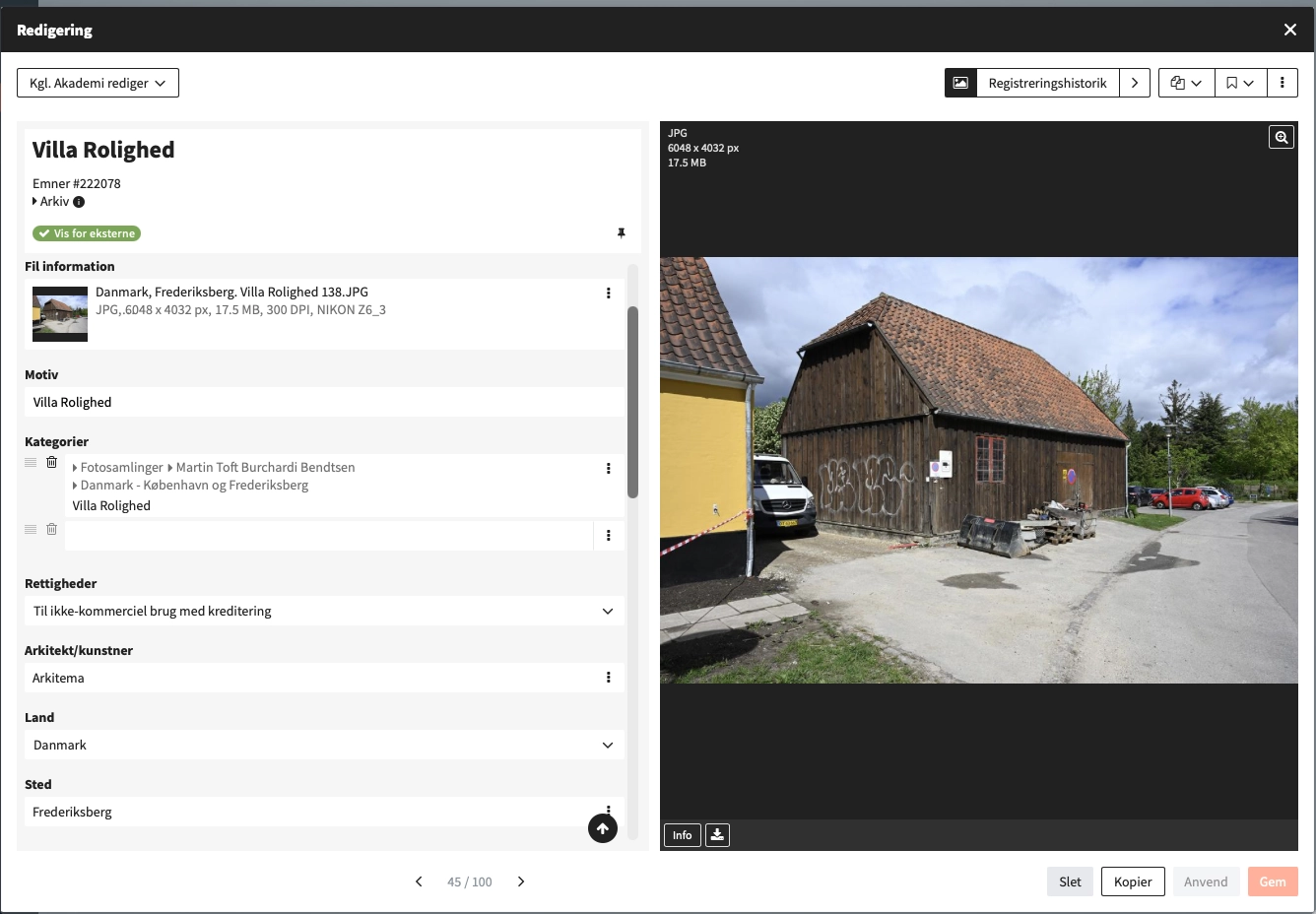
Metadata fields are defined around what you actually need to search on. A city archive needs dating, location and photographer. A manufacturer needs article number, campaign and expiry date. Both are the same platform, configured differently.
Fields can be free text, dates, numbers, lookups into controlled lists, or references to other objects. Vocabularies and hierarchies keep the same words in use consistently, even with many people cataloguing.
Search on something other than the filename
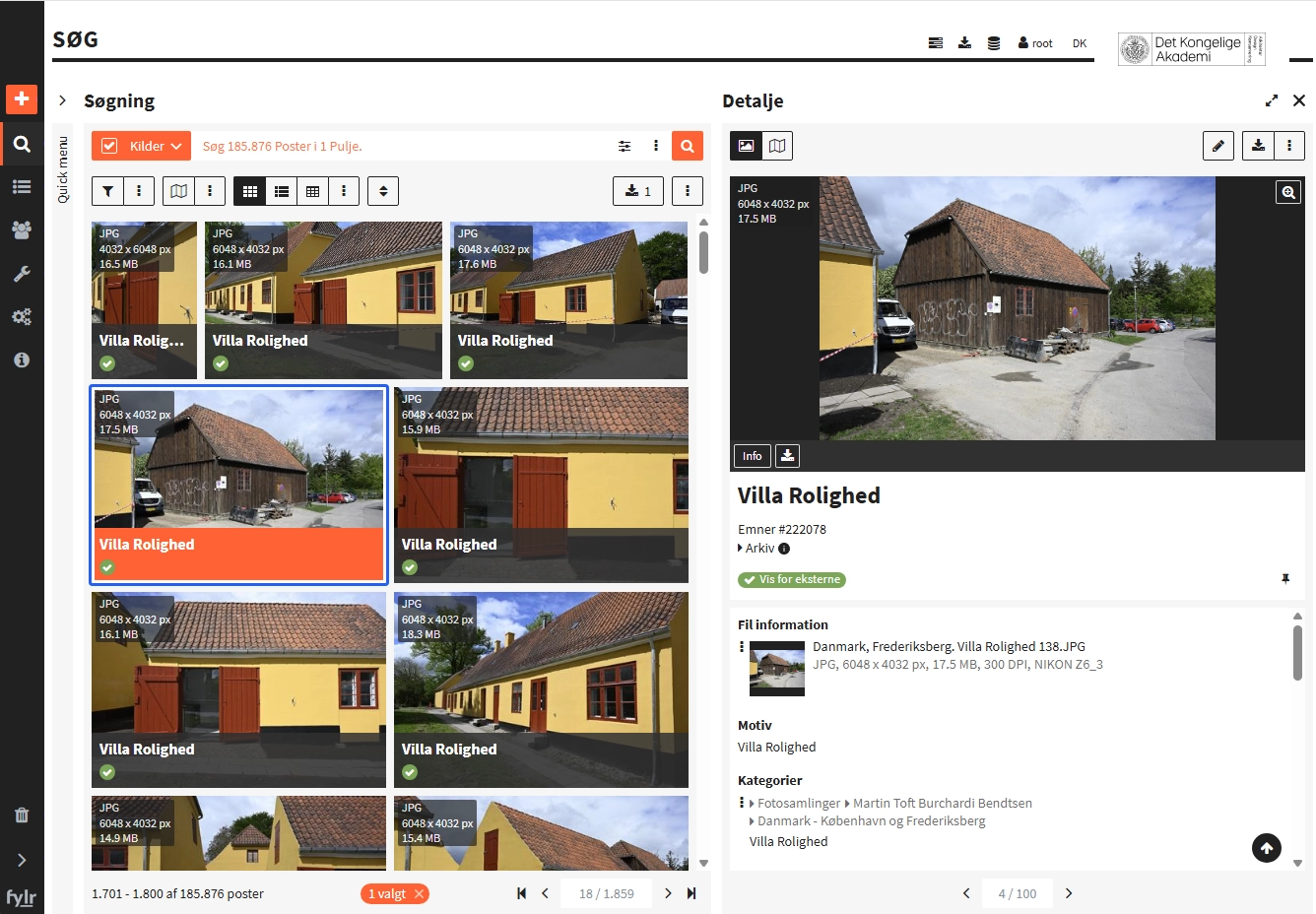
Once metadata is in place, everything is searchable together: full text, fields, file types, date ranges and combinations of them. Searches can be saved and reused, and results shown as a list, a table or an image view depending on the job.
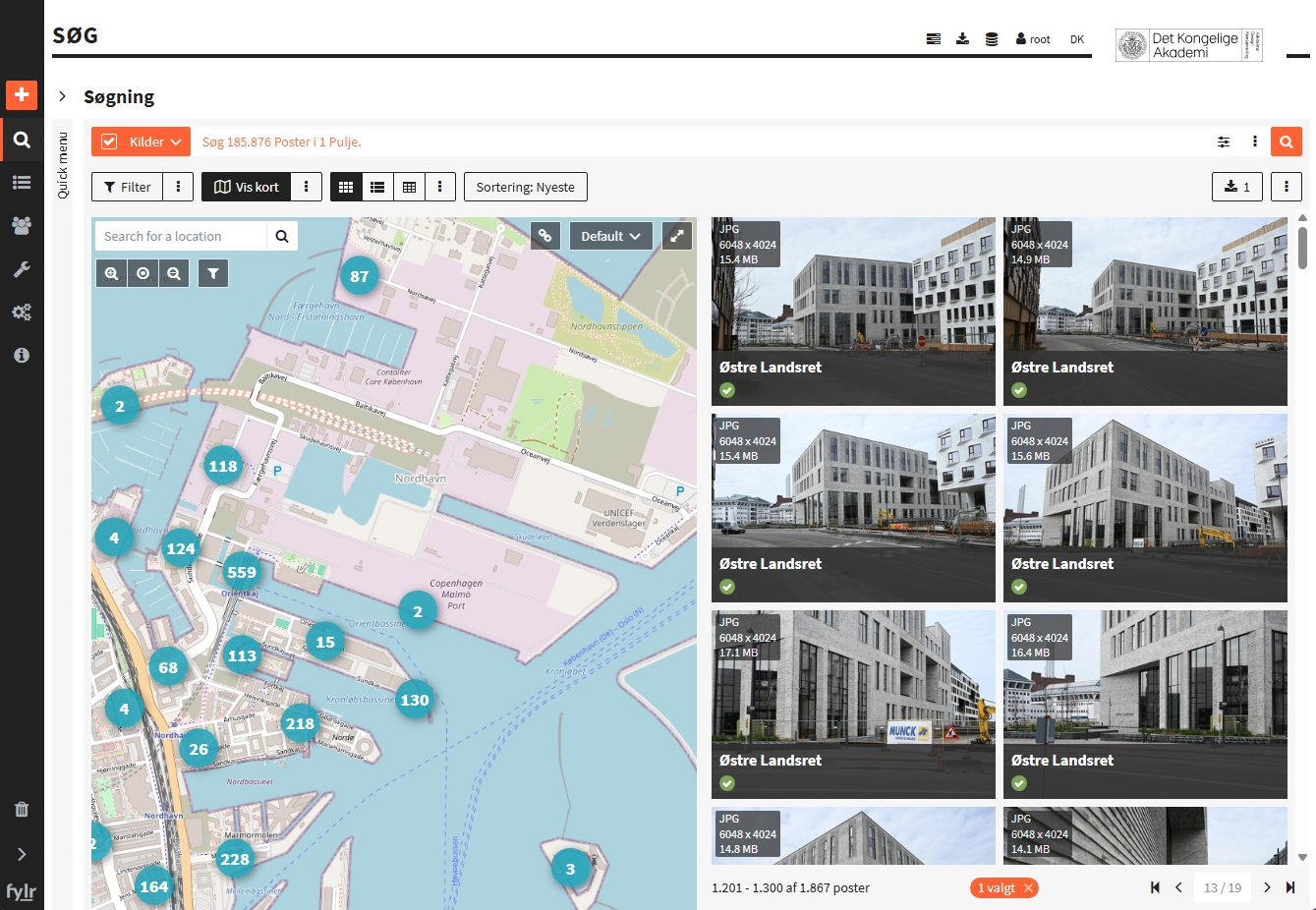
Geolocation makes it possible to find and filter assets from a map, so you can quickly see and find files from a particular location.
Rights you can account for
Access is controlled at user, group and object level. It governs both what can be seen and what can be downloaded, at what resolution. For public institutions this is often the precondition for putting material into the system at all — there has to be an answer to who had access to what.
Integration with AI services
Fylr can be integrated with AI services and use them for purposes such as automatic image description, warnings about inappropriate content and text translation. This field is developing rapidly, and new AI features are being added all the time – for example, semantic search, which searches for meaning rather than exact keywords.
Formats generated along the way
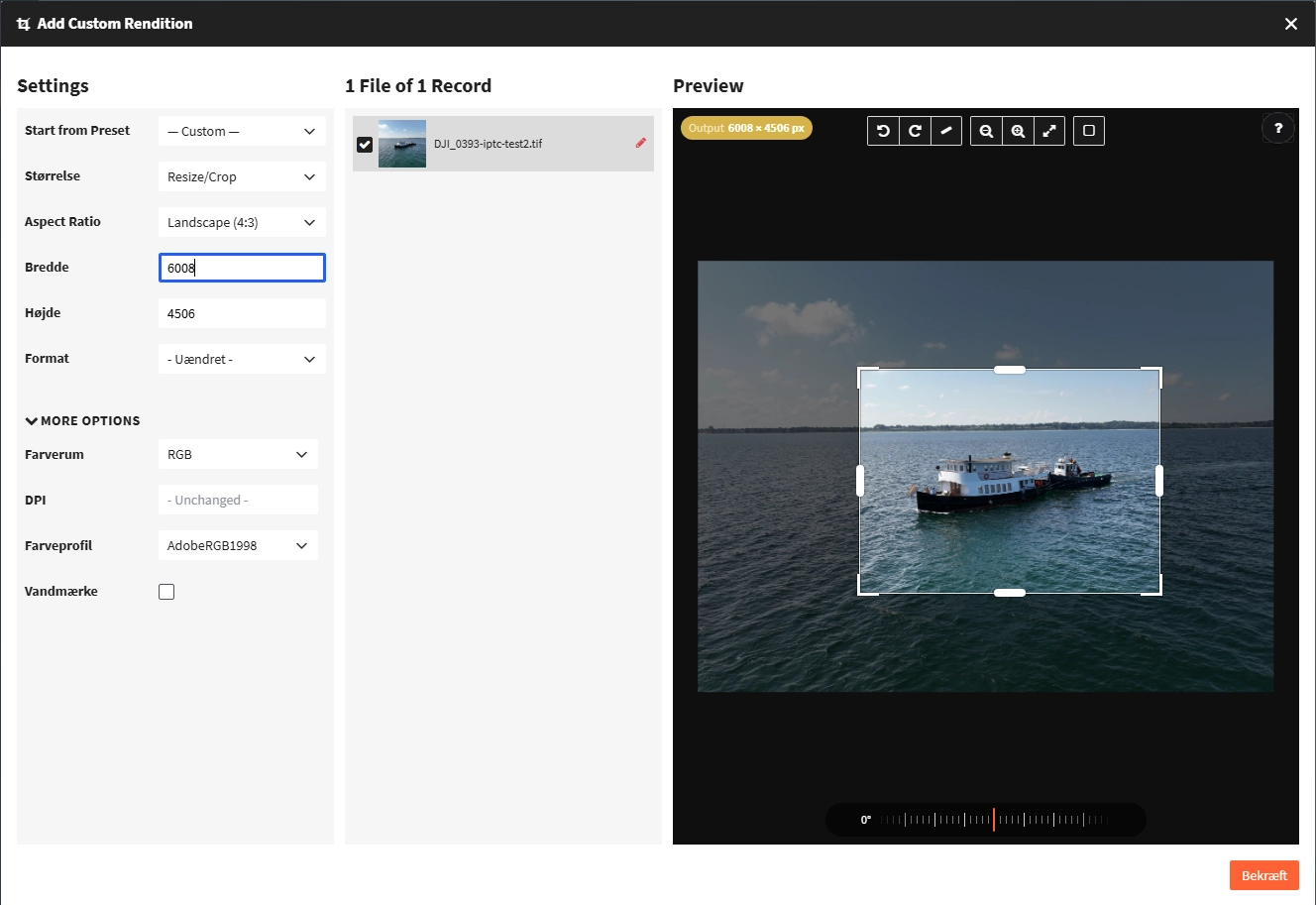
Derived formats are produced automatically from the original: previews, web versions, crops and whatever file types the recipient needs. The original stays untouched, and there is no need to store fifteen variants of one image.
Running it
Fylr can run on-premise on your own hardware or be operated as a hosted solution. The choice usually comes down to where the material is allowed to sit and how much of the operation you want to keep in-house. We help with either.
Screenshots
Other products
- AWPAttention Web PlatformThe publishing platform for Fylr
- SCHEDULERAttention SchedulerThe work that has to happen every night
- AMSAttention Museum SynchronizerCollection system and media bank, one reality
- AVPAttention Video PlayerVideo out of the media bank
- AFSAttention File SynchronizerThe file server and Fylr, in step
Shall we take a look at your files?
An informal meeting is usually the fastest way to find out whether a DAM makes sense for you - and what it would take.